

Intelligent Operations Engine
Connecting Systems,Processes and People
From architecture and integrations to operational workflows and AI capabilities — see how we design connected business solutions.
40 seconds · No sound · On-screen text in English
The four layers
What the film shows
- 01
Priority ERP
The core business system, its data and its documents.
In use today - 02
Integration & Automation
Connecting systems, moving information and running controlled workflows.
In use today - 03
OPERO
Operational systems and workflows, tailored to the organization's needs.
Opero is an independent platform. An ERP connects as needed.
In use today - 04
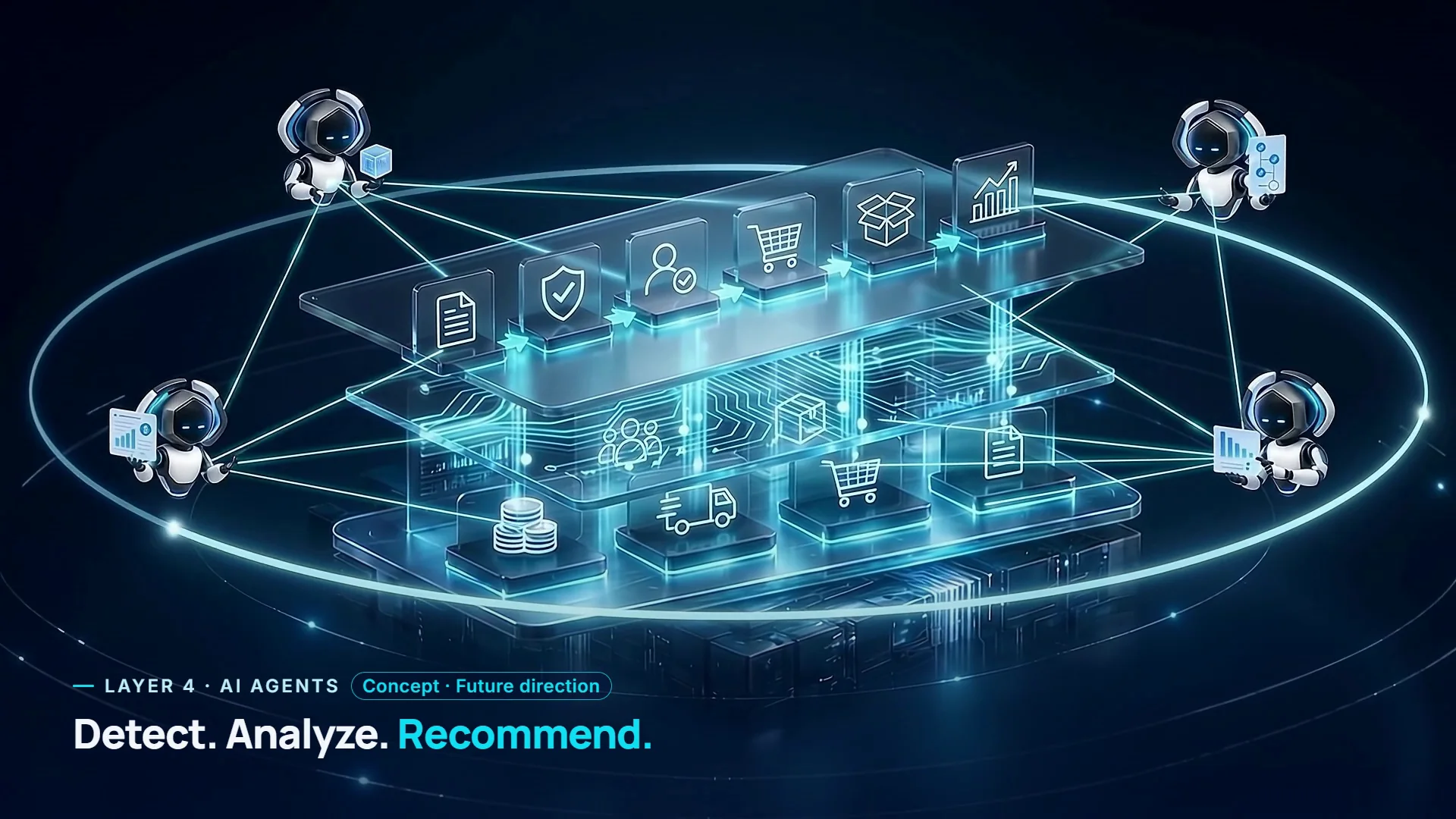
AI Agents
Analysis, exception detection, recommendations and help with running processes.
The agents in the film show a future direction. They are not active in the product today.
Concept · Future direction
Text description
The film, in words
The film has no sound. This describes its pictures and on-screen text, in order.
- 0:00
Opening
A closed architecture block comes to life. On screen: “Many systems. One connected operation.”
- 0:03
Layer 1 · Priority ERP
The base layer opens to show the core business data. On screen: “Core business data. The foundation.”
- 0:07
Layer 2 · Integration & Automation
Streams of data run between the layers and connect them. On screen: “Connecting data. Enabling workflows.”
- 0:12
Layer 3 · Opero Operational Platform
Six stages light up in turn: Purchase Request, Budget Check against remaining budget, Approval by approval rules, Purchase Order, Goods Receipt, and Reporting & Control. On screen: “From request to execution.” and “Opero runs the process. Your ERP connects as needed.”
- 0:21
Layer 4 · AI Agents — concept
Four agents take their places around the architecture — a Supply Chain Agent, a Finance Agent, a Workflow Agent and an Analytics Agent — and join one network. The screen carries the tag “Concept · Future direction”. On screen: “Detect. Analyze. Recommend.”
- 0:34
Close
The layers close back into one block. The Agile-ERP logo and “Understanding your business. Building your solution.”
Let's Talk About Your Business Challenge
Tell us about the process, and we'll look together at how to connect the systems, data and people around it.